

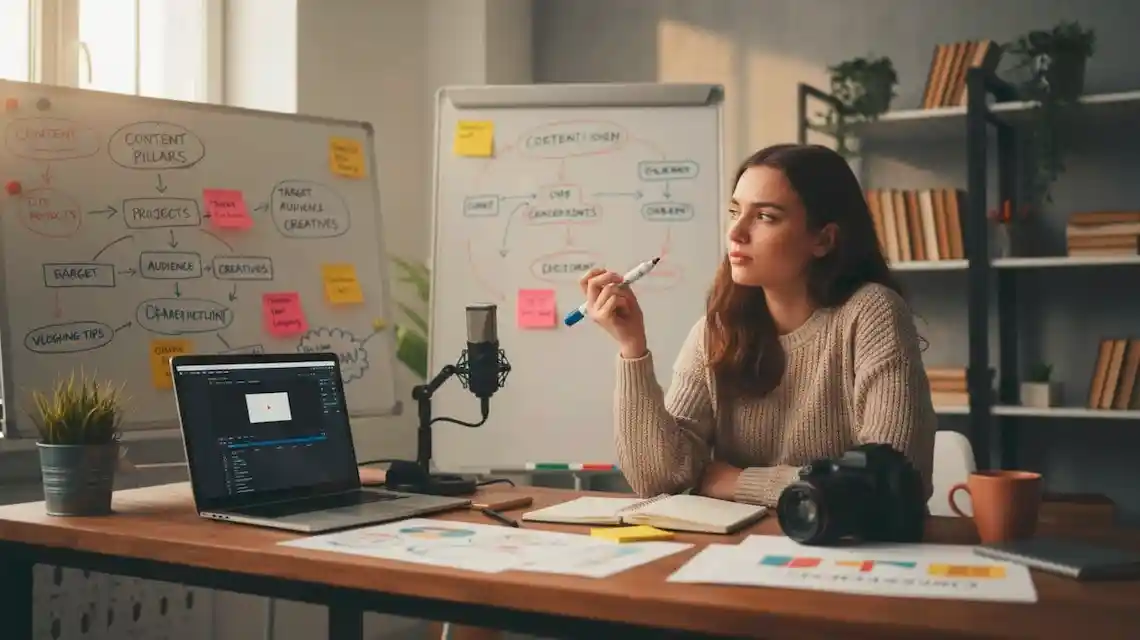
You want to start a YouTube channel but you feel shy, stuck, or lost in all the tech talk. You are not alone. Learning how to start a YouTube channel can feel like learning a new language at first.
This guide keeps things simple. You will focus on the few basics that actually matter at the beginning, so you can publish your first video without expensive gear or editing skills.
You will learn how to pick a clear goal, set up your channel the right way, plan simple video ideas, and hit upload with confidence. By the end, you will know exactly what to do today, not “someday.”
Get Clear On Why You Want To Start A YouTube Channel
Before you touch your camera, you need one thing: a reason. Your “why” is like a map. It makes every choice easier, from what videos to make, to how often you post, to how you deal with slow growth.
Your reason does not need to be deep. It just needs to be honest and clear. You might want to teach a skill, build a side income, share your story, or support your main business.
If you want more help thinking about your purpose and style, the official YouTube Creators getting started guide walks through questions about your voice and story.
When you know your why, you stop chasing every trend. You can ask, “Does this idea move me closer to my goal?” If the answer is no, you skip it. That saves energy and reduces stress.
Choose A Simple Topic And Audience You Can Stick With
Your topic is what you talk about. Your audience is who you talk to.
Start with one main topic or theme. Simple options include gaming, makeup, studying, fitness, tech tips, or daily vlogs. You can always expand later.
It helps to picture one real person you talk to through the camera. Maybe it is a shy 15-year-old who wants to learn guitar, or a busy mom who needs quick recipes. Talk to that one person in every video.
A few clear channel ideas:
- Beginner guitar tutorials for teens
- Easy weeknight recipes for busy parents
- Study tips for college freshmen
- Simple tech tutorials for non-techy adults
Specific topics attract the right people and make video ideas easier to find.
Set A Realistic Goal For Your First 90 Days On YouTube
In the first 90 days, your focus is not “go viral.” Your focus is to learn, show up, and get comfortable.
Views and subscribers are mostly out of your control at the start. What you can control is how often you post and how much you improve.
Simple 90-day goals could be:
- Upload 1 video every week for 12 weeks
- Test 3 different video ideas and see what people watch longer
- Learn one new skill, like better audio or cleaner thumbnails
Write your 90-day goal on a sticky note and put it where you film. Each time you feel nervous or depressed, look at it and remember what you are really trying to do: learn and practice.
Set Up Your YouTube Channel The Right Way From Day One
Now let’s turn your idea into an actual channel. You do not need to know every feature. You only need the basics that help viewers and YouTube understand what your channel is about.
These steps will show you how to start a YouTube channel that looks clear and real from day one, even with zero experience.
Create Your Google Account And Channel Name
You need a Google account to create a YouTube channel. If you already use Gmail, you are set. If not, you can create a free account in a few minutes.
Next comes your channel name. Keep it:
- Easy to say
- Easy to spell
- Easy to remember
Good examples:
- “Jess Learns Guitar”
- “Quick Fit With Mia”
- “Simple Tech Help”
Avoid random numbers or symbols like “GamerX_94753” or hard-to-spell words. If people cannot type your name, they will not search for you or share your channel with friends.
Brand Your Channel With A Profile Photo, Banner, And About Section
Your channel homepage is like a small shop window. You want it to look clean and trustworthy.
Use a clear profile photo. A picture of your face usually works best, especially for personal channels. If you run a brand or niche channel, a simple logo is fine.
For the banner, keep it simple. Use your name or channel name, your topic, and maybe your upload schedule. You can use free tools to make a clean banner without any design skills.
In your About section, explain three things in plain language:
- Who your channel is for
- What you post
- How often you post
Here is a short example:
“Hi, I’m Sam. I help shy beginners learn how to start a YouTube channel with simple tips on filming, editing, and posting your first videos. New videos every Sunday.”
That one paragraph tells viewers they are in the right place and gently includes your main keyword.
Plan 3 To 5 Simple Video Ideas Before You Hit Record
Many beginners stall because they keep asking, “What should I film today?” Solve this by planning a tiny starter list before you ever hit record.
Look for common “how to” or “beginner” questions in your niche. You can search on YouTube and see what comes up, or use planning guides like Milanote’s YouTube channel planning guide if you like visual tools.
Example starter ideas:
- For fitness: “10-minute morning stretch for stiff hips”
- For study tips: “How to stop checking your phone while studying”
- For makeup: “Beginner everyday makeup using only 5 products”
- For tech: “How to fix a slow laptop in 3 easy steps”
Write down 3 to 5 ideas you could film in one sitting. Keep them focused and helpful, not perfect.
Record, Edit, And Publish Your First YouTube Video
You do not need a studio to start. A phone, some light from a window, and a quiet room will take you further than you think.
Your goal is not a fancy film. Your goal is a clear, helpful video that someone can watch and understand.
Use Simple Gear And Setup So You Can Start Today
Here is all you need to begin:
- A smartphone with a decent camera
- Natural light from a window
- A quiet room
If you can, add a cheap tripod or phone stand so the frame stays steady.
Quick setup tips:
- Clean your camera lens before you film
- Face the window so light hits your face, not your back
- Do a short test clip to check your audio
- Keep your background tidy and not too busy
You can upgrade gear later. For now, make it easy to press record.
Structure Your Video So Viewers Stay And Watch
A simple structure keeps you on track and keeps viewers from getting bored. You can use this for almost any video.
Basic structure:
- Hook: One or two sentences that say what they will learn.
- Quick intro: Your name and who your channel is for.
- Main content: Your steps or tips in a clear order.
- Call to action: Ask them to like, comment, or watch another video.
Example outline in sentence form:
“Today I’ll show you three simple tips to start your first YouTube channel even if you are shy. I’m Alex, and I help beginners feel confident on camera. First, we will talk about your goal, then how to set up your channel, then how to film your first video. At the end, I’ll share what I would do if I had to start over today, so stay with me.”
Speak like you are talking to a friend who sits across from you at a table.
Do Basic Editing, Title, Thumbnail, And Upload Settings
Basic editing is enough at the start. You can use free apps on your phone or computer.
For your first videos:
- Cut out long pauses and clear mistakes
- Add simple text only when it helps, like step numbers
- Keep background music low or skip it entirely
When you upload, focus on three things that help people click:
- Title: Use clear, keyword-rich titles like “How to Start a YouTube Channel When You’re Shy” instead of vague ones like “My First Video”. Resources such as Castos’s guide on how to start a YouTube channel in 2025 show more title examples if you want extra ideas.
- Thumbnail: Use a close-up of your face, big readable text, and a bright, simple background.
- Description and tags: Write 2 to 4 short lines about what the video covers. Add a few related keywords and choose the category that fits best.
If you want encouragement to just hit publish, this short beginner guide to creating YouTube videos is a good reminder that your first videos do not need to be perfect.
Conclusion
You just walked through the real basics of how to start a YouTube channel: know your why, pick a clear topic and audience, set a simple 90-day goal, set up your channel, plan a few starter ideas, then record and upload your first video with simple tools.
Do not need perfect gear or perfect confidence. You only need one small action today. Write down 3 video ideas, or film a short test clip in front of a window and watch it back.
Every big YouTuber started as a nervous beginner with zero views. Your first video will feel scary, but it is also the start of something new. Hit record, upload, and let your future videos get better one by one.
Practical FAQs About Starting a YouTube Channel From Scratch
How do I choose the right niche for my YouTube channel?
Start with the overlap of three things: what you enjoy, what you know, and what people already search for.
Ask yourself:
- What topics could I talk about for 100 videos?
- What problems can I help people solve?
- What type of channels do I already watch a lot?
Then check YouTube:
- Type your topic into search and note autocomplete suggestions.
- Look at top videos and sort by Most popular.
- Ask: can I add a different angle or better explain this?
You do not need a hyper-niche topic like “left-handed guitar lessons for teens” on day one, but you should have a clear focus, for example:
- “Budget fitness for beginners”
- “Simple weeknight recipes”
- “Productivity tips for students”
If you feel stuck, pick a broad topic you like, then narrow it after 10 to 20 videos based on what people actually watch and comment on.
What basic equipment do I need to start a YouTube channel?
You can start with very little. Focus on clear audio, steady video, and good light.
Minimum setup for most beginners:
- A smartphone with a decent camera
- A simple tripod or a stable surface
- Natural light from a window in front of you
Helpful low-cost upgrades:
- Lavalier mic that plugs into your phone or camera
- Ring light or softbox if you film at night
- Affordable editing software like CapCut, VN, DaVinci Resolve, or iMovie
You do not need a DSLR or studio gear to start. Improve your content first, then upgrade your equipment when your limits are obvious, for example, you need better low-light video or more flexible audio.
How do I come up with video ideas that people actually watch?
Start with problems, questions, and search terms, not with what feels clever.
Strong idea sources:
- YouTube search suggestions around your topic
- Comment sections on similar channels
- Reddit threads, Quora questions, and Facebook group posts
- “People also ask” on Google searches
A simple format that works well:
- How to [solve a problem]
- [X] mistakes beginners make with [topic]
- [X] tips to get started with [topic]
Keep a running list in Notes or a spreadsheet. Any time someone asks you a question in real life or online, ask if it could be a clear, helpful video.
How often should I post when starting a new YouTube channel?
Consistency matters more than high volume at the very start.
For most beginners, a good target is:
- 1 to 2 videos per week, every week, for the first 3 to 6 months
Pick a pace you can keep up while learning:
- Plan, film, and edit without burning out.
- Leave time to improve each video a bit.
It is better to post one solid video every week for a year than to post daily for two weeks and quit. If you get faster later, you can always increase your schedule.
How important are titles, thumbnails, and descriptions?
They are critical. People never see your content if they do not click first.
Titles:
- Make a clear promise.
- Use simple language that matches what people search.
- Avoid clickbait that your video does not deliver.
Thumbnails:
- Use big, readable text or a strong visual.
- Keep it simple, with 1 main subject and 1 clear idea.
- Make sure it still looks good on a small phone screen.
Descriptions:
- Use the first 2 to 3 lines to explain what viewers will get.
- Include relevant keywords in natural sentences.
- Add links or resources mentioned in the video.
Think of title and thumbnail as the “hook” that earns you the click, and the video itself as the promise you keep.
Do I need to show my face to grow on YouTube?
No, you do not have to show your face, although it helps build trust faster.
Face-free channel styles that work:
- Screen recordings with voiceover (tutorials, reviews, software tips)
- Slides or simple animations with narration
- Overhead shots (cooking, drawing, crafts)
- Footage with text on screen and background music
If you are shy but open to it, you can ease in:
- Start with voice only.
- Then add short face clips.
- Move to more on-camera time as you feel more relaxed.
The key is clear communication and value, not your appearance.
When can I make money from my YouTube channel?
YouTube pays through the YouTube Partner Program (YPP). To join, you usually need:
| Requirement | Standard Threshold (YPP) |
|---|---|
| Subscribers | 1,000 |
| Watch hours (last 12 months) | 4,000 hours |
| Policy compliance | Follow all YouTube monetization policies |
You can also earn in other ways, often earlier:
- Affiliate links in your description
- Digital products like templates or guides
- Services like coaching or freelance work
- Brand deals once you build a focused audience
Focus first on making videos people want to watch and finish. Money follows attention and trust.
How do I grow my channel when I am brand new and have no audience?
At zero subscribers, your main job is to help the algorithm understand who your channel is for.
Useful early steps:
- Stick to one main topic so viewers know what to expect.
- Make series or related videos that feed into each other.
- Reply to comments to keep people engaged.
- Share your videos in relevant communities, but without spamming.
Ask yourself after each upload:
- Did someone who likes this topic get a clear benefit?
- Would they want to watch another one right after?
Growth at the start often feels slow, then picks up as you build a library of focused videos.
How long should my YouTube videos be?
Your video should be as long as it needs to be, but not longer.
For beginners, this usually means:
- Tutorials and how-tos: 6 to 12 minutes
- Reviews and breakdowns: 8 to 15 minutes
- Simple tips or quick answers: 3 to 7 minutes
Watch your audience retention in YouTube Analytics:
- If many people drop at the first minute, sharpen your opening.
- If they drop during long rambles, cut filler and repeat points less.
Shorter but packed with value almost always beats long and padded.
What common mistakes do new YouTubers make?
New creators often struggle with the same problems.
Frequent issues:
- Spending weeks on logos and channel art, but almost no time on scripts and ideas.
- Uploading random topics instead of a clear theme.
- Ignoring audio quality, which turns viewers away fast.
- Posting a few videos, then quitting when they do not get views.
- Never reviewing analytics to see what works.
A simple rule helps: improve 1 thing per video. For example, better lighting this week, tighter intro next week, stronger thumbnail after that.
Do I need to worry about copyright when using music, clips, or images?
Yes, you do. Copyright problems can lead to claims, strikes, or even taken-down videos.
General guidelines:
- Use royalty-free music from trusted libraries or YouTube Audio Library.
- Do not reuse other creators’ footage unless you have permission or it clearly qualifies as fair use. Even then, there is some risk.
- Avoid random images or clips from Google search.
If you want to stay safe:
- Use licensed content that you are allowed to use.
- Read the terms of the site where you got the media.
- Keep proof of your licenses or permissions.
When in doubt, leave it out or replace it with your own footage, photos, or graphics.
How do I stay motivated when growth feels slow?
Slow growth is normal, especially in the first 50 to 100 videos.
Helpful habits:
- Set goals you control, for example, “1 video per week for 6 months”, not “10,000 subscribers by May”.
- Batch tasks, for example, plan 4 scripts one day, film them another day.
- Track small wins, like better click-through rate, higher watch time, or your first real comment.
Ask yourself every month:
- What did I learn?
- What type of video performed even slightly better?
- What can I stop doing that is not working?
Treat your channel like a long-term project, not a quick test. Many channels that look like “overnight success” built skills and libraries for months or years before that jump.
 How to Start a Gaming YouTube Channel
  How to Remove Your Public Information from the Internet
  Automation Tools for Content Creation in 2025