

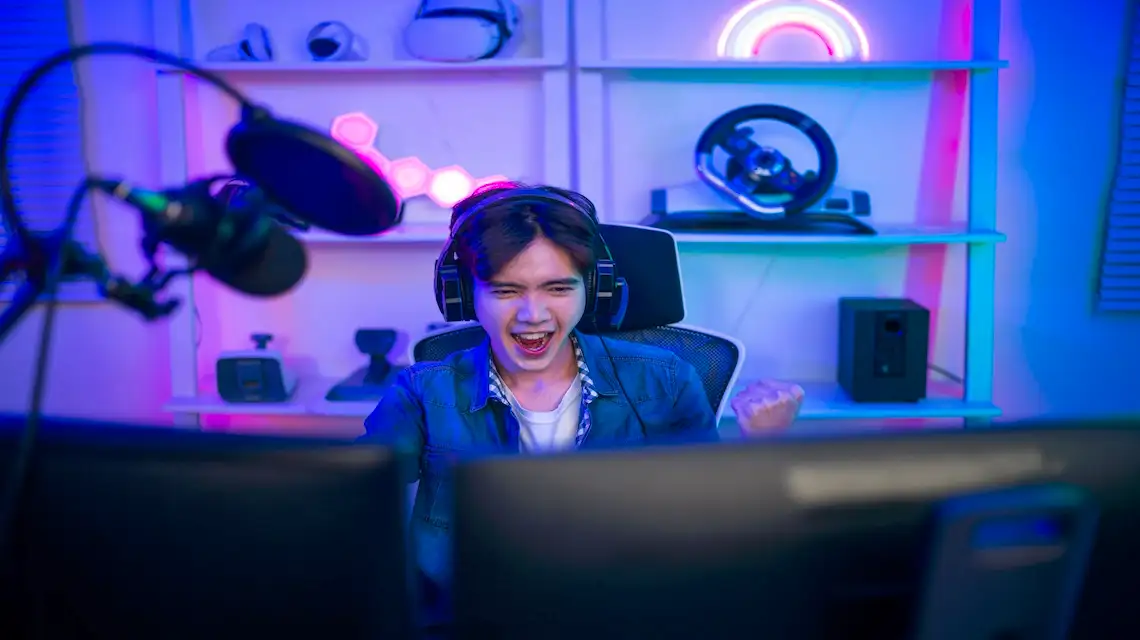
You dream about sharing your gameplay with the world, but your brain floods with doubts. No high-end PC, no fancy camera, zero editing skills, and a huge fear of posting a video that gets no views. On top of that, it feels like you are late to YouTube and all the big games are already taken.
Here is the good news: you can still build a gaming YouTube channel from scratch with basic gear and no experience. This guide walks you through how to start a gaming YouTube channel step by step, in simple language, for beginners, teens, and adults who just want clear, no-fluff advice.
Get Clear on Your Gaming Channel Idea Before You Hit Record
Before you worry about microphones or layouts, slow down and plan. A simple plan keeps you from burning out and makes it easier to stay consistent when school, work, or life gets busy.
Think of your channel like a show. Viewers should know what kind of “show” they are getting within a few seconds. When your idea is clear, YouTube can also figure out who to recommend your videos to, which helps you grow over time. If you want to start a non-gaming YouTube channel, check out how to start a youtube channel.
Pick a gaming niche so viewers know why they should watch you
A niche is just the main type of content you focus on. It answers the question, “What kind of videos do you usually post?”
You can choose a niche around:
- One main game: Fortnite, Minecraft, Roblox, Valorant.
- A genre: horror games, cozy games, mobile games, indie games.
- A style: funny moments, tutorials, walkthroughs, speedruns, reviews.
For example, you might be “the Roblox obby challenge person” or “the chill cozy games reviewer.” When someone lands on your channel, they should get it right away.
A clear niche helps the algorithm and helps real people. YouTube sees what viewers watch and will suggest your videos to people who like similar content. If you want ideas, you can study the best YouTube gaming niches that are working in 2025 and see what fits your personality.
Start focused, then once you grow, you can slowly add other games or series without confusing your audience.
Decide what makes your gaming videos different from the rest
You do not need to be the best player in your game. You do need a simple reason someone might choose your video instead of a random one.
Ask yourself:
- Are you funny, with big reactions and jokes?
- Are you chill, with calm talk and relaxing gameplay?
- Are you good at teaching, breaking things down for beginners?
- Are you skilled, pulling off crazy plays or smart strategies?
Turn that into a short idea you can explain in one line. Here are a few examples:
- “Chill Minecraft builder who teaches easy farms and simple builds.”
- “Funny rage reactions in super hard Elden Ring or Souls-like games.”
- “Mobile gamer who shows quick, no-stress tips you can copy.”
That tiny “hook” guides your thumbnails, titles, and how you talk on camera. It also makes recording easier because you know what version of yourself to bring to each video.
Set Up Your Gaming YouTube Channel and Basic Gear the Smart Way
Once your idea is clear, it is time to set up the channel and gear. You do not need a studio or a $3,000 PC. Start small, use what you have, and improve as you go.
Think of this step as building a simple starter kit that lets you record clear gameplay and clear audio.
Choose a channel name, logo, and banner that fit your gaming style
Your channel name should be:
- Easy to say and spell
- Not too long
- Free of random numbers if possible
- Related to gaming or your personality
Examples: “NovaBlocks,” “CalmCrit,” “RageQuitRyan,” “CozyPixelPlays.” Before you lock it in, search it on YouTube and Google to see if someone big already uses it. If you can, also grab the same name on TikTok, Instagram, or X.
For your logo and banner, simple beats fancy. Use clear text, your name, and maybe one or two gaming icons. Free tools like Canva have ready-made gaming YouTube channel art templates you can edit in a few minutes. Focus on readability, not perfection.
Start with beginner-friendly gaming gear and recording software
You only need a few core items to start:
- A computer, console, or phone that can run your game
- A decent microphone, even a budget USB mic is fine
- Recording or capture software
For PC, OBS Studio is a popular, free option. You can learn the basics from an OBS Studio beginner guide and copy the settings step by step. On PlayStation and Xbox, you can use built-in capture features. On mobile, use the phone’s screen recorder or a free recording app.
At the start, audio quality matters more than video quality. People will forgive a slightly blurry game clip, but they will click away if your voice sounds harsh or too quiet. If you can spend money on only one thing, get a better mic before a webcam.
Set up your recording space so your gameplay and voice are clear
You do not need a fancy studio. A small, quiet corner works if you set it up right.
Use these simple steps:
- Record in the quietest room you can find
- Place the mic close to your mouth, but not touching it
- Put soft items like curtains, pillows, or blankets nearby to reduce echo
- Set your game volume lower than your voice so it does not drown you out
If you use a face cam, you do not need studio lights. Sit facing a window during the day, or use a cheap ring light pointed at your face. Do a 10-second test recording, then adjust your volume and lighting until you are easy to see and hear.
You can get this whole setup done in one afternoon.
Create, Edit, and Post Your First Gaming Videos With a Simple Plan
With a clear idea and basic setup, it is time to hit record. Your goal is not to create a masterpiece. Your goal is to finish and upload your first few videos so you start learning.
Keep your ideas small and your process simple so you do not freeze.
Plan easy video ideas and scripts so you are not stuck on what to say
Starter-friendly video ideas include:
- A “Let’s Play” of your favorite map, level, or match
- Beginner tips for a game you know well
- How to beat a boss that gave you trouble
- Highlight or “funny fails” compilations
- Simple challenges, like “no building in Fortnite” or “hardest difficulty only”
Outline your video with quick bullet points:
- Short intro, say who you are and what you are doing.
- Main gameplay or tips, talk through your thoughts and reactions.
- Quick ending, ask viewers to like, comment, and subscribe if they enjoyed it.
You do not need a full script, but a loose plan keeps you from going silent or rambling. Keep your first videos under 10 to 15 minutes so editing feels less scary.
Use simple editing and strong titles so more people click and watch
Editing is where your video becomes watchable. For now, focus on:
- Cutting out long loading screens and boring moments
- Keeping action or useful info on screen most of the time
- Adding text or zooms on funny parts or key tips
Beginner-friendly editors include CapCut, DaVinci Resolve, or built-in console and mobile editors. If you pick CapCut, their official CapCut tutorial for beginners shows you how to trim clips, add text, and export videos in simple steps.
For SEO, your title and description should clearly say what the video is about. Use the game name and what the viewer gets, like “Minecraft Hardcore Day 1: Simple Starter Base For Beginners.” Use the phrase “how to start a gaming youtube channel” only when it fits, such as in a channel trailer or a tutorial.
Make thumbnails bright and simple. Use close-up game images or your face, big readable text, and strong colors. Ask yourself, “Would I click this if I saw it in a list of videos?”
Conclusion: Hit Upload And Learn As You Go
You have seen the path: pick a clear idea, set up a simple channel and starter gear, plan an easy first video, then record, edit, and upload. The hardest part is not learning settings, it is pushing past fear and starting.
Treat your first 10 to 20 videos as practice, not as a final exam. Each upload teaches you something about your style, your audience, and what you enjoy. Every big gaming YouTuber you know once posted a first, awkward, low-view video too.
If building a gaming channel is your goal, open your notes app, write your niche and hook, and plan your first video today. Hit record, hit upload, and let your future self thank you. If you want to automate everything on YouTube in the future, start by finding a good automation tool.
How to Start a Gaming YouTube Channel FAQs:
How do I pick the right niche for my gaming YouTube channel?
Start with what you actually enjoy playing and watching. If you fake interest, viewers will feel it fast.
Ask yourself:
- What games can I talk about for hours without getting bored?
- Do I like long story games, quick matches, or competitive ranked play?
- Do I prefer tutorials, funny moments, reviews, or live reactions?
Look for a clear angle, not just a game. For example:
- “Beginner tips for Fortnite players who hate building”
- “Laid-back story playthroughs with no screaming”
- “Short daily guides for new Genshin Impact updates”
You can adjust over time, but having a basic focus helps people understand why they should subscribe.
What basic gear do I need to start a gaming YouTube channel?
You can start with simple gear and upgrade as you grow. Focus on clear audio, not just video quality.
At minimum, you need:
- A computer or console that can record gameplay
- A decent microphone (USB mics are fine to start)
- Screen recording or capture software
- Stable internet to upload videos
A webcam is nice for reactions, but it is not required at the start.
Here is a simple starter setup:
| Need | Simple Option | Notes |
|---|---|---|
| Mic | USB mic (e.g., Fifine, Blue) | Clear voice matters a lot |
| Recording (PC) | OBS Studio (free) | Records screen and audio |
| Recording (Console) | Built-in capture or capture card | Start with built-in if available |
| Editing | DaVinci Resolve, CapCut, Shotcut | Free editors are enough to begin |
Use what you have, then upgrade slowly when you know you will stick with it.
How often should I upload when starting a gaming channel?
Consistency matters more than volume. It is better to keep a realistic schedule you can maintain.
Good starting options:
- 1 video per week if you have a busy schedule
- 2 to 3 videos per week if you have more time
- Shorts in between if you want extra content without full edits
Pick a schedule, tell your viewers, then stick to it. If you can not post often, focus on quality and clarity so each video feels worth watching.
How long should my gaming videos be?
It depends on the content and your editing style.
As a starting point:
- Let’s Plays or story playthroughs: 10 to 25 minutes, with cuts to remove boring parts
- Guides or tutorials: 4 to 12 minutes, as short as you can without rushing
- Highlights or funny moments: 3 to 8 minutes, fast-paced and focused
- Shorts: 15 to 45 seconds, one clear idea or moment
Watch your own video before you upload. If you get bored or start skipping, cut more.
How do I get my first 100 subscribers on a gaming YouTube channel?
Treat the first 100 like a learning phase. Your goal is to improve, not go viral.
A simple approach:
- Post on a regular schedule for at least 4 to 8 weeks.
- Make each title and thumbnail clear, not clickbait.
- Focus every video on one main idea, like “best early game weapon” or “how to win close fights.”
- Share your videos where your target audience hangs out (Discord servers, subreddits, or game forums), but do it respectfully and follow the rules.
- Reply to every comment you get. People are more likely to stick around if you talk with them.
Your early growth comes from learning faster, not from luck alone.
Do I really need thumbnails and titles optimized for YouTube?
Yes. Your title and thumbnail decide whether someone even gives your video a chance.
Aim for clear over clever:
- Make it obvious what the viewer will get.
- Use strong, simple words your audience uses, for example “easy,” “fast,” “noob friendly,” “beginner.”
- Avoid stuffing keywords in a weird way.
Examples of better titles:
- “Beginner Settings for Smoother Aiming in Valorant”
- “I Tried Winning With Only Pistols in Warzone”
- “The Fastest Early XP Route in [Game Name]”
Your thumbnail should work even on a phone screen. Big text, clear image, one main idea.
What editing skills do I need to start?
You do not need fancy effects. You just need to keep viewers from getting bored or confused.
Focus on:
- Cutting out long pauses and loading screens
- Turning down game audio when you speak
- Adding simple zooms or text for key moments
- Lowering or fading music so your voice is clear
If you can:
- Start with a short hook in the first 5 to 10 seconds.
- Keep something happening on screen so it never feels static for too long.
You will get faster at editing as you practice, so keep your first videos simple.
Should I start with live streams or pre-recorded videos?
For most beginners, pre-recorded videos are easier to control and improve.
Pre-recorded videos help you:
- Retry parts that did not go well
- Cut boring sections
- Practice speaking on mic without pressure
Live streams make more sense when:
- You have a small audience already
- You enjoy chatting while you play
- You want longer, relaxed sessions
If you stream as a beginner, still upload edited highlights or key moments so new viewers have something short to try first.
How important is my personality compared to gameplay skill?
You do not need to be a pro player, but you do need to be watchable.
Viewers stay for:
- Clear explanations
- Honest reactions
- A style they recognize, for example calm and helpful, or chaotic and funny
Skill helps if you make high-level guides or ranked content. Personality matters more if you do:
- Story games
- Variety games
- Funny highlights
Lean into what feels natural. If you are not loud or hyper, do not force it. There is an audience for calm, relaxed channels too.
How do I avoid burnout when starting a gaming YouTube channel?
Burnout hits fast if you treat your channel like a full-time job from day one.
A few simple rules:
- Set a realistic upload schedule and protect your days off.
- Batch work when you can, for example record 2 or 3 videos in one session.
- Play some games off-camera just for fun.
- Do not check analytics every hour; review them once or twice a week.
If you start to dread recording, scale back. A slower, steady pace is better than quitting after a month.
How long does it usually take to see real growth?
Growth is different for everyone, but most channels do not grow fast in the first few months.
A common pattern:
- Months 1 to 3: You learn recording, editing, and titles. Growth is slow.
- Months 3 to 6: Your videos start to look and sound better. Some get more views than others.
- After 6 months: You have a clearer niche, better hooks, and a small group of regular viewers.
Focus on improving each video a little bit instead of chasing a specific number. If every new upload is cleaner, clearer, and more focused than the last, your odds of growth go up over time.
 How to Remove Your Public Information from the Internet
  Automation Tools for Content Creation in 2025
  How To Start a YouTube Channel