

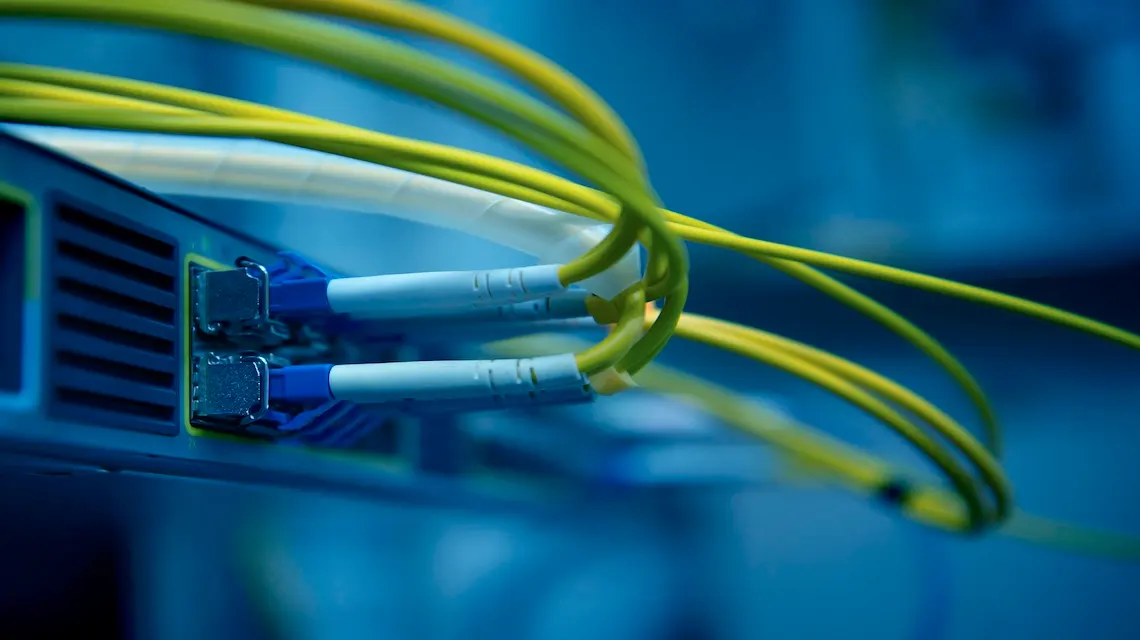
If you have ever asked, “how does fiber optic internet work?”, you are not alone. It sounds high tech, but the idea is simple. Instead of sending data as electricity through metal wires, fiber sends data as flashes of light through tiny strands of glass.
Light can move huge amounts of information very quickly and with less loss. That is why fiber is usually faster and more stable than cable or DSL internet. No magic, just smart use of physics.
In this guide, you will learn what fiber is made of, how light carries your data, and what happens from your home out to the wider internet. The goal is to keep things visual and friendly, not overly technical, so you can picture what is happening every time you hit play or join a video call.
If you want a more technical companion later, you can always compare this overview with an in-depth explanation of how fiber-optic internet works.
Fiber optic basics: what it is and how it is different from cable internet
At a high level, fiber optic internet works by turning your data into flashes of light, sending that light through very clear glass fibers, then turning it back into signals your devices understand.
Cable and DSL use copper wires that carry electrical signals. Electricity travels well, but it slows down and weakens over long distances. It can also pick up noise from other electronics.
Fiber uses light instead of electricity. Light can stay strong over many miles when it is inside the right kind of glass. That is why providers can offer gigabit speeds to homes on fiber networks that stretch across cities and even countries.
From copper wires to glass fibers: how data used to travel vs today
Older internet lines used the same kind of copper cables as phone and TV service. You can think of those copper lines as a two-lane road. Data cars had to share space, and traffic often backed up.
Fiber optic cables are more like a multi-lane highway. Each tiny glass strand can carry a lot of light, and different colors or patterns of light can share the same path. Since the signal is light, not electricity, it is less affected by outside noise and stays clearer over long distances.
This is why fiber internet can stay fast and reliable even when it runs from your town to a data center far away.
Inside a fiber optic cable: core, cladding, and protective layers
A fiber strand is much thinner than a human hair, but it has several parts that work together.
At the center is the core, a very clear glass path where the light travels. Around that is the cladding, another glass layer with slightly different properties. When light in the core hits the cladding at certain angles, it reflects back in. This effect, called total internal reflection, keeps light bouncing along the core, like it is moving down a mirror-lined tunnel.
Outside the cladding are protective layers that keep the fiber from breaking or bending too sharply. That structure lets light move very far with little loss. For a deeper look at cable design, you can check out CenturyLink’s guide on how fiber internet cables, cores, and cladding work.
Step by step: how data moves through fiber optic internet to your home
Now let us walk through what happens when you use fiber at home. Picture streaming a show, joining a Zoom call, or playing an online game with friends.
Behind the scenes, your devices, your router, your provider, and many miles of fiber all work together so your clicks move as light, then return as video, sound, or game actions on your screen.
Turning your clicks into light pulses your fiber line can carry
Every time you click a link or press play, your device breaks that request into tiny pieces of digital data called bits. Bits are just 0s and 1s.
At your provider’s equipment, a transmitter uses a laser or LED to turn those bits into light pulses. A 1 might be a flash of light, and a 0 might be no light. The flashes happen so fast that you could never see them with your eyes.
Some systems also use different colors of light to carry different streams of data on the same fiber. More colors mean more lanes of traffic on that glass highway, so your connection can support many users and apps at once.
Riding the light highway: how signals travel across cities and oceans
Once your data becomes light, it moves into long fiber optic cables that run underground, on utility poles, or along the ocean floor. The light races through the core, bouncing off the cladding and staying trapped inside.
Over very long distances, special devices called amplifiers or repeaters boost the signal so it does not fade. The key point is that the glass keeps the light from leaking out or mixing with other signals. That is why fiber internet tends to stay fast and stable, even when a lot of people in your area are online at the same time.
Last mile to your router: what happens when the light reaches your house
Near your home, the fiber line connects to a box, often on a wall or in a closet. This box is usually called an ONT, or optical network terminal.
The ONT’s job is to catch the light pulses in the fiber and turn them back into electrical signals your home network can use. Think of it as the point where light becomes Wi-Fi. From the ONT, a cable runs to your router, which then sends data to your phones, laptops, and smart TVs.
Your real-world speed still depends on your router, Wi-Fi signal, and devices. An old router or weak Wi-Fi can slow things down even if the fiber outside is very fast. Many providers, such as Windstream in their guide on how fiber internet works in the home, recommend pairing fiber with a modern Wi-Fi router for the best results.
Why fiber optic internet is so fast and reliable (and when it matters most)
Knowing how does fiber optic internet work makes it easier to see why so many people want it. The way fiber carries light gives it big advantages in speed, consistency, and room to grow.
These perks matter most when your home has lots of devices, heavy work needs, or serious entertainment habits.
Speed, low lag, and less slowdown at peak times
Because fiber can carry so much data, providers can offer very high download and upload speeds, often in the gigabit range. That helps with large cloud backups, sending big work files, and streaming in 4K on several TVs at once.
Fiber also has low latency, which is the delay between your action and the response. Low latency makes video calls feel more natural and keeps online games responsive. You press a button, your character moves right away.
Since each strand can hold many signals without much interference, fiber networks also tend to hold up better during busy evening hours. Other connection types may slow when the neighborhood logs in; fiber usually keeps more of its speed.
Future-proof internet for smart homes, AI tools, and remote work
Home internet use keeps growing. Smart cameras, sensors, voice assistants, cloud gaming, and automation tools all pull data from remote servers. Many of these tools also send a lot of data back out, not just download.
Fiber is built for this kind of growth. The glass in the ground can often support higher speeds in the future with upgrades to the electronics on each end. That makes fiber a strong long-term choice for remote work, home businesses, and smart homes. T-Mobile’s overview of what fiber internet is and why it matters highlights how fiber networks are ready for more devices and richer media.
In short, you are not just buying speed for today, you are buying room for what your home will need next.
Fiber optic internet works by sending your data as flashes of light through tiny glass fibers, then turning that light back into signals your devices can use. Those fibers carry information quickly and clearly over long distances, helped by the special core and cladding inside each strand and the ONT in your home.
Conclusion
The main benefits are simple: faster speeds, a more stable connection, and plenty of capacity for future apps and smart devices. If you work from home, game online, run many video calls, or have a growing smart home, fiber is often worth serious thought.
Take a look at what is available at your address, compare plans, and decide how much speed your household really needs. A clear picture of how does fiber optic internet work makes that choice a lot easier.
How Does Fiber Optic Internet Work FAQs:
How does fiber optic internet actually carry data?
Fiber optic internet sends data as pulses of light through very thin glass or plastic strands called fibers.
Each pulse of light represents bits of information that your modem and your provider’s equipment turn into web pages, videos, calls, and more.
Light travels inside the fiber by bouncing along the core, thanks to a principle called total internal reflection, so the signal stays strong over long distances with very little loss.
What are fiber optic cables made of?
A fiber optic cable usually has three main parts:
- Core: The thin glass or plastic center where light travels.
- Cladding: A layer around the core that reflects light back in, so it does not escape.
- Outer protection: Coatings and jackets that protect the fragile glass from moisture, bending, and damage.
Many fibers are bundled together in one cable, so a single cable can carry huge amounts of data at once.
How is fiber optic internet different from cable or DSL?
The key difference is the signal type.
- Fiber uses light in glass fibers.
- Cable uses electrical signals over coaxial copper cables.
- DSL uses electrical signals over old phone lines.
Because fiber uses light instead of electricity, it supports much higher speeds, has lower signal loss, and is less affected by electrical interference or long distances.
Why is fiber optic internet so fast?
Fiber carries data as light, which can switch on and off extremely quickly. That lets fiber handle a very high data rate.
Also, fiber has far more bandwidth capacity than copper. This means more data can move at the same time, so you get high speeds even when many people are online in your area.
Most fiber plans also offer high upload speeds, not just fast downloads, which makes video calls, cloud backups, and remote work smoother.
What happens to the light signal at my home?
When the fiber line reaches your home, it connects to a device called an ONT (optical network terminal) or optical modem.
The ONT converts the light signal into an electrical signal that your router and devices can use. From there, your home network uses Ethernet cables and Wi‑Fi, just like any other internet connection.
Does fiber optic internet improve Wi‑Fi in my house?
Fiber improves the internet coming into your home, not the way Wi‑Fi works inside it.
You still need a good router and smart placement of your Wi‑Fi equipment to get strong wireless coverage.
Think of it this way: fiber gives you a wider, faster pipe to your house, and your Wi‑Fi setup decides how that speed is shared with your devices.
How far can fiber optic signals travel without losing quality?
Light in fiber can travel miles before the signal needs a boost.
With copper cables, speed drops as distance increases. With fiber, speed stays much more stable over long runs, so your connection can feel more consistent, especially in suburbs and rural builds where cables cover longer distances.
Is fiber optic internet more reliable?
In most cases, yes.
Fiber is resistant to electrical interference, so nearby power lines or heavy machinery do not affect it as much. It is also less sensitive to weather compared with some copper-based lines.
Physical damage, such as construction cutting a line, can still cause outages, but everyday performance of fiber is usually more stable.
Is fiber optic internet more secure?
Fiber is generally harder to tap without being noticed. Bending or cutting a fiber line to spy on it can disrupt the light signal and show up as a fault.
This does not make fiber magically safe from all cyber risks, but at the physical cable level, it tends to be more secure than traditional copper lines.
Why are upload speeds often equal to download speeds on fiber?
With fiber, the network has enough capacity to give symmetrical speeds. That means your upload and download speeds can match, such as 500 Mbps up and 500 Mbps down.
Providers using cable often prioritize download speed and limit upload because of how the shared copper network is built. Fiber’s design makes it easier to support fast, balanced traffic in both directions.
What are the main types of fiber connections to homes?
You will usually hear these terms:
| Type | What it means |
|---|---|
| FTTH / FTTP | Fiber to the home or premises, fiber runs into your home |
| FTTB | Fiber to the building, often used in apartments |
| FTTC / FTTN | Fiber to the curb or node, fiber gets close, copper finishes the last part |
FTTH / FTTP is the most desirable for home users, since it keeps fiber all the way to your house.
What equipment do I need for fiber optic internet?
For a typical home setup, you will need:
- An ONT provided by your internet company.
- A router, sometimes combined with Wi‑Fi, that connects to the ONT.
- Optional mesh Wi‑Fi units if your home is large or has tricky layouts.
Your provider usually handles the fiber line, the ONT, and the initial setup. You can often choose your own router if you want better Wi‑Fi or more control.
 How to Start a Gaming YouTube Channel
  How to Remove Your Public Information from the Internet
  Automation Tools for Content Creation in 2025
  How To Start a YouTube Channel